



Description
Word Spell Game: Yes or No? – Fun Learning Tool
Overview
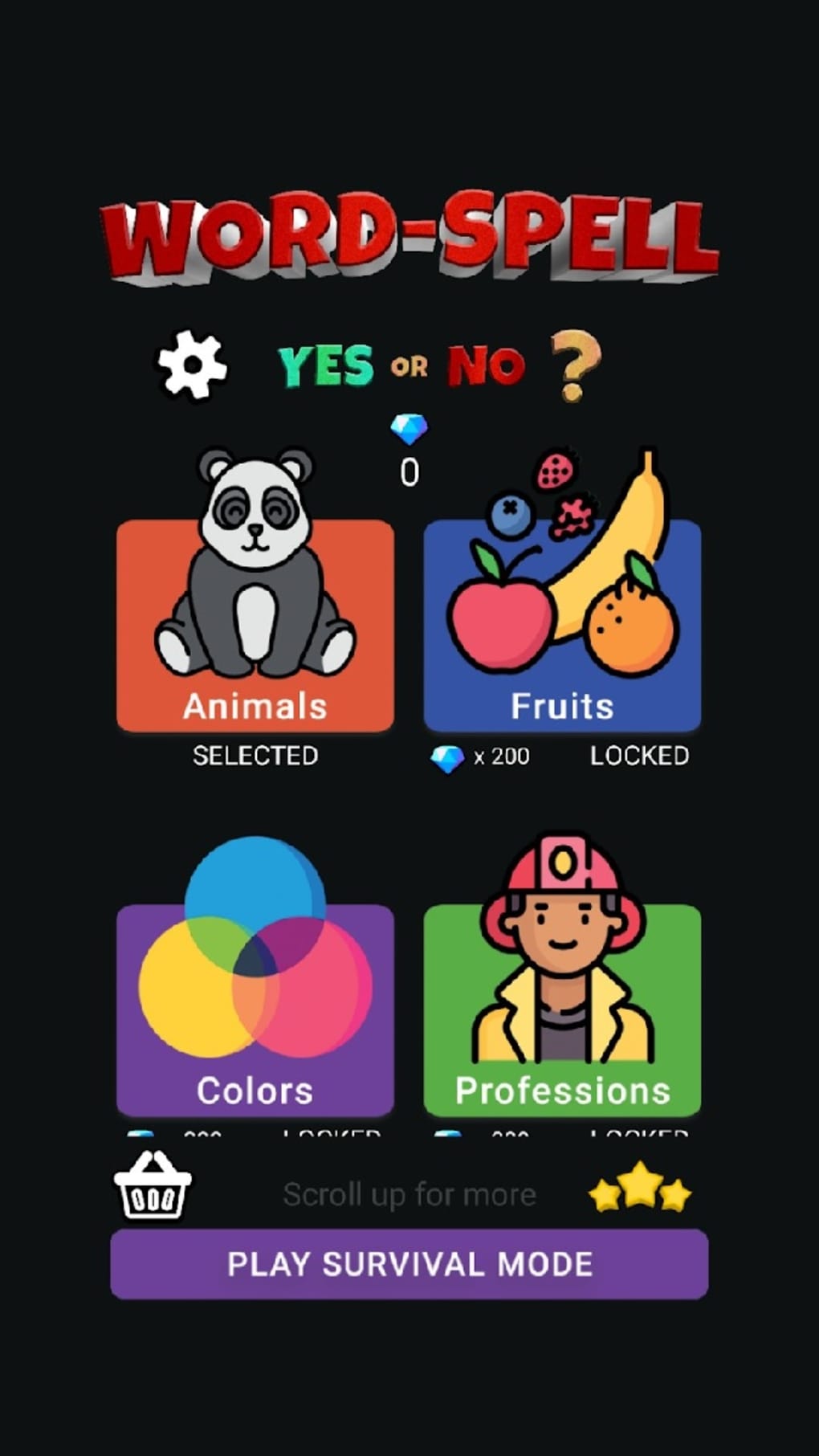
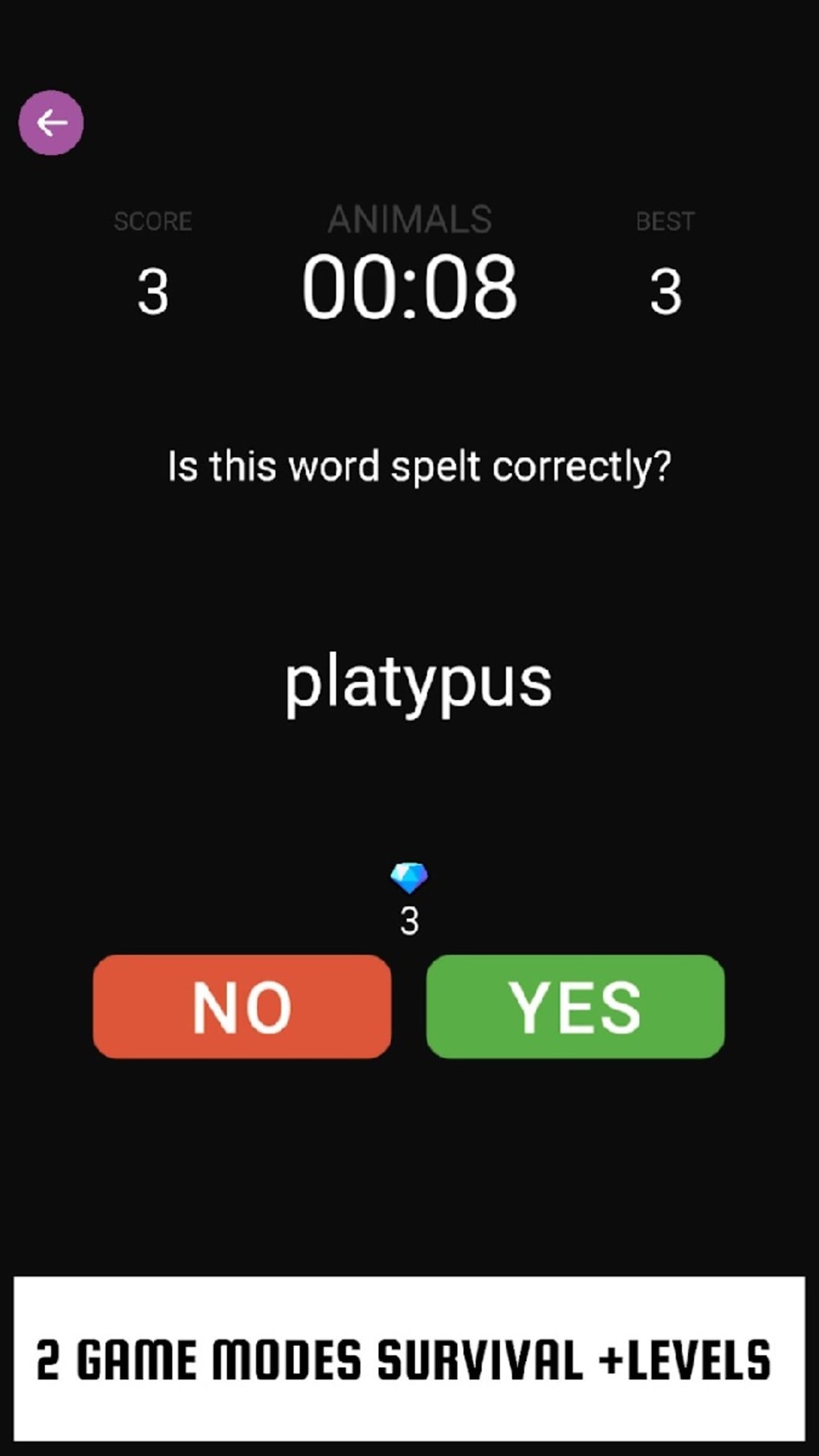
Word Spell Game: Yes or No? is a desktop application designed to make vocabulary building both enjoyable and interactive. The software targets individuals seeking a light yet effective way to improve spelling and word recognition, particularly students, educators, and casual learners. It functions as a word game that blends entertainment with education, offering two distinct gameplay modes: Category Mode and Survival Mode. In Category Mode, players explore themed word sets such as animals, technology, and more, allowing for targeted learning across diverse topics. Survival Mode introduces time pressure, challenging users to spell words correctly within a 10-second window, which adds a layer of urgency and excitement. The game supports global competition through an integrated leaderboard, enabling players to compare scores with friends and other users worldwide. While the developer did not provide additional background details, the software’s focus on vocabulary enhancement suggests a purpose-built educational utility. Real-world use cases include classroom learning aids, personal skill development, and casual mental exercise for adults and teens alike. The game is accessible and designed for quick sessions, making it ideal for short breaks or daily practice.
Key Features & Capabilities
- Category Mode – Players select from a variety of thematic word categories, including animals, technology, and everyday vocabulary. This mode supports structured learning by allowing users to focus on specific word groups, ideal for targeted vocabulary building.
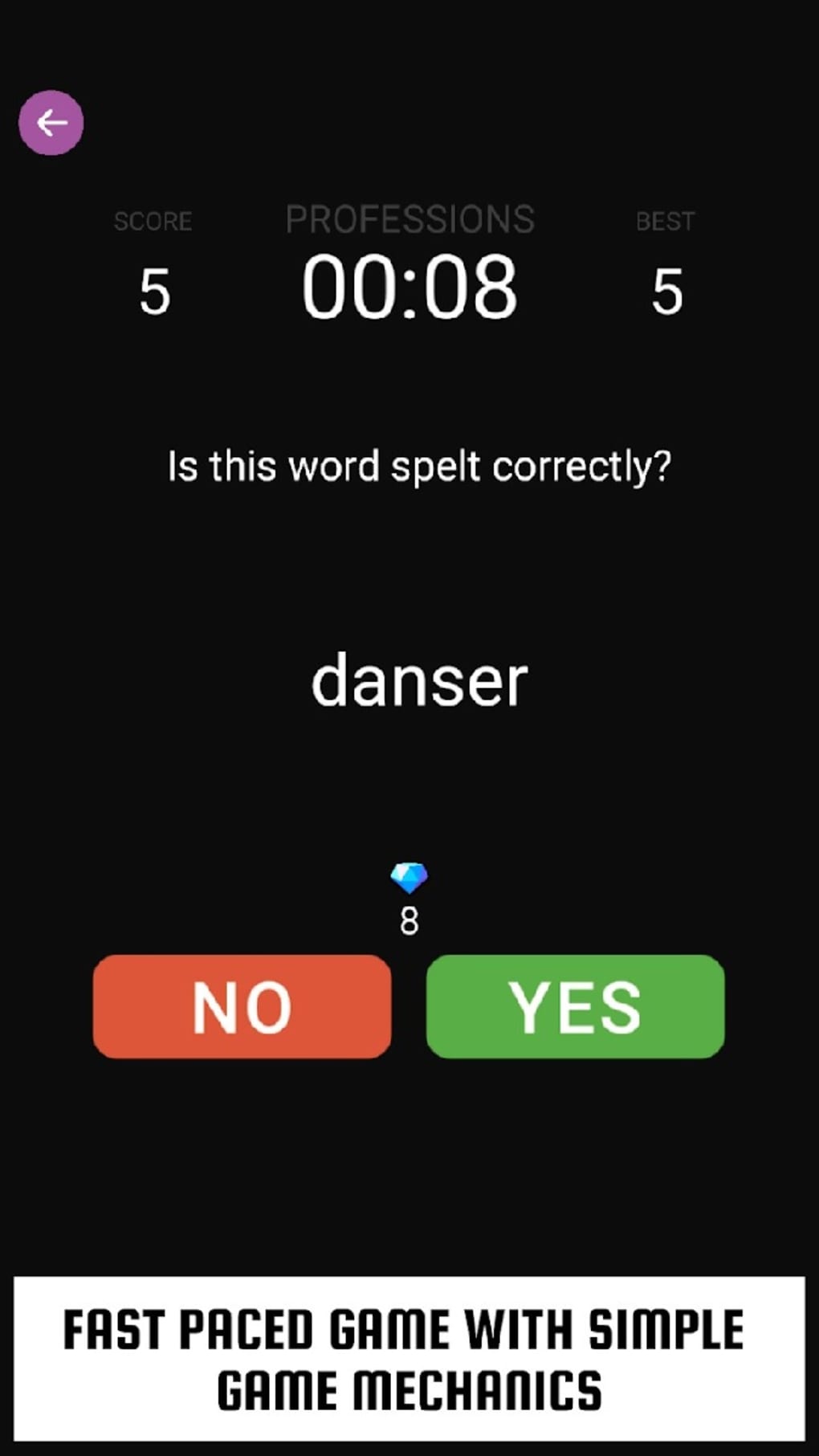
- Survival Mode – A fast-paced challenge where each word must be spelled correctly within 10 seconds. This mode enhances quick thinking and spelling accuracy under pressure, promoting mental agility and retention.
- Global Leaderboard – A competitive feature that tracks scores and ranks players worldwide. This fosters engagement and motivates repeated play to improve personal rankings.
- Two Gameplay Modes – The dual-mode design offers flexibility: Category Mode for relaxed, educational play, and Survival Mode for high-energy challenges, catering to different user preferences and skill levels.
- Word Variety Across Themes – The game includes words from multiple domains, promoting broad vocabulary exposure and helping users learn new terms in context.
These features combine to deliver a dynamic experience that supports both learning and entertainment. For example, a student preparing for a spelling bee might use Category Mode to practice words related to science. Meanwhile, a busy professional could use Survival Mode during a lunch break to sharpen cognitive skills. The game’s structure encourages repetition and recall, which are key to long-term vocabulary retention. While the developer did not specify additional tools or customization options, the core gameplay remains focused on accessibility and immediate engagement.
User Interface, Workflow & Performance
The user interface of Word Spell Game: Yes or No? appears designed for simplicity and ease of navigation. The layout is likely structured around clear visual cues, with intuitive controls that allow users to switch between modes and select categories without confusion. Navigation between screens—such as mode selection, gameplay, and leaderboard—seems streamlined, minimizing user friction. The workflow follows a logical sequence: choose mode, select category (if applicable), begin spelling, and view results. This structure supports quick onboarding and reduces the learning curve for new players. Performance observations are based on general software behavior patterns, as no specific performance data was provided. The application is reported to be lightweight, with a size of 20 MB, suggesting efficient resource usage. The developer did not specify resource usage details, but such a file size typically indicates low CPU and RAM demands. Stability is expected to be consistent for a game of this scope, though exact behavior under prolonged use was not documented. Overall, the software appears optimized for smooth operation on standard desktop systems.
Compatibility & System Requirements
Word Spell Game: Yes or No? is compatible with both Windows and Mac operating systems, making it accessible to a broad user base across desktop platforms. The software version is 1.0, indicating a stable initial release. Installation requires 20 MB of disk space, which is minimal and suitable for systems with limited storage. The developer did not provide additional system requirements, so exact hardware specifications such as processor speed, RAM, or graphics capabilities are unknown. Compatibility information was partially provided, leaving some aspects of system readiness unconfirmed. Users should ensure their system meets standard desktop requirements for running lightweight applications. No mention was made of internet connectivity needs beyond leaderboard functionality, though the game may operate offline for basic gameplay. For users seeking clarity on compatibility, testing on their device is recommended.
Pros and Cons
Pros
- Free to download and use, with no cost barriers to entry.
- Offers two distinct gameplay modes for varied user engagement.
- Supports vocabulary development through themed word categories.
- Includes a global leaderboard to encourage friendly competition.
- Lightweight design (20 MB) ensures quick installation and minimal system impact.
Cons
- Limited depth in gameplay mechanics beyond basic spelling challenges.
- No customization options for word difficulty or category selection were specified.
- Exact system requirements were not listed, which may affect user confidence.
- Performance under extended use was not documented.
- Lack of offline mode details for leaderboard access.
FAQ Section
Is Word Spell Game: Yes or No? available for both Windows and Mac?
Yes, the software is compatible with both Windows and Mac operating systems, allowing users across desktop platforms to access the game.
Is the game free to download and use?
Yes, the software is free to download and use with no hidden costs or in-app purchases required.
Does the game require an internet connection?
While the game may function offline for basic gameplay, the global leaderboard feature likely requires an internet connection to sync scores and rankings.
How often are updates released for the software?
Information about update frequency was not provided. Users should check the official source for the latest version.
Can I play the game without creating an account?
Details about account requirements were not specified. The game may allow anonymous play, but this was not confirmed.
Final Thoughts
Word Spell Game: Yes or No? delivers a focused and accessible experience for users looking to improve spelling and vocabulary in a fun, low-pressure environment. Its dual-mode design—combining structured learning with fast-paced challenges—offers versatility for different types of learners. The inclusion of themed categories and a competitive leaderboard enhances replayability and motivation. While the game lacks advanced features or deep customization, its simplicity is a strength for casual users and educational settings. The lightweight footprint and free pricing make it highly approachable. For students, teachers, and anyone interested in daily mental exercise, this tool provides a practical way to build word skills. The overall experience is enjoyable, educational, and well-suited for short, engaging sessions. Download Word Spell Game: Yes or No? now to start your spelling adventure today.
Guides & Tutorials for Word Spell Game Yes or No
How to install Word Spell Game Yes or No
- Click the Preview / Download button above.
- Once redirected, accept the terms and click Install.
- Wait for the Word Spell Game Yes or No download to finish on your device.
How to use Word Spell Game Yes or No
This software is primarily used for its core features described above. Open the app after installation to explore its capabilities.
User Reviews for Word Spell Game Yes or No 0
No reviews found





